
The GroSecurity
How to check your websitefor PHP vulnerabilities,including PHP2Shell.How to checkyour websitefor PHPvulnerabilities,includingPHP2Shell.
On 21 October 2026 PHP fixed two critical flaws, known as PHP2Shell, that let an attacker run code on a web server with a single request. Here's how to check whether your site is affected and what to do about it.
In this articlesix sections
On 21 October 2026 the PHP project released emergency fixes for two critical flaws in PHP itself: CVE-2026-109618 and CVE-2026-109619, known together as PHP2Shell. Both let an attacker run their own code on a web server, without logging in, using a single request. If your website runs on WordPress, WooCommerce, Magento, Drupal or anything else built with PHP, it needs checking today.
The quickest way to start is our free PHP2Shell checker. Enter your web address and it tells you whether your server shows a PHP version, and whether that version has the fix. The rest of this article explains what the checker can and can't see, how to confirm the version yourself, and what to do next.
What PHP2Shell is
These are flaws in the PHP language that runs your website, not in WordPress, a theme or a plugin. That matters, because a well-kept site with every plugin up to date is just as exposed as a neglected one. The attack happens before your website's own code runs.
- CVE-2026-109618: when PHP runs out of memory part-way through setting up a request, the clean-up afterwards can treat half-built data as valid. An attacker can use that to run code.
- CVE-2026-109619: some of the state from one request can survive after its memory has been freed, so a later request handled by the same PHP worker can use it. Researchers have shown this leads to running code too.
- Both are rated 9.2 out of 10 for severity. The second can also leak the contents of PHP's memory, which may include passwords, API keys and other secrets.
Every common way of running PHP on a web server is affected: PHP-FPM, Apache with mod_php, php-cgi, FrankenPHP and LiteSpeed. The PHP project flags Apache with mod_php as the most urgent.
Which PHP versions are fixed
The fixed releases are listed below. Anything older in the same branch is vulnerable.
- PHP 8.5: fixed in 8.5.12
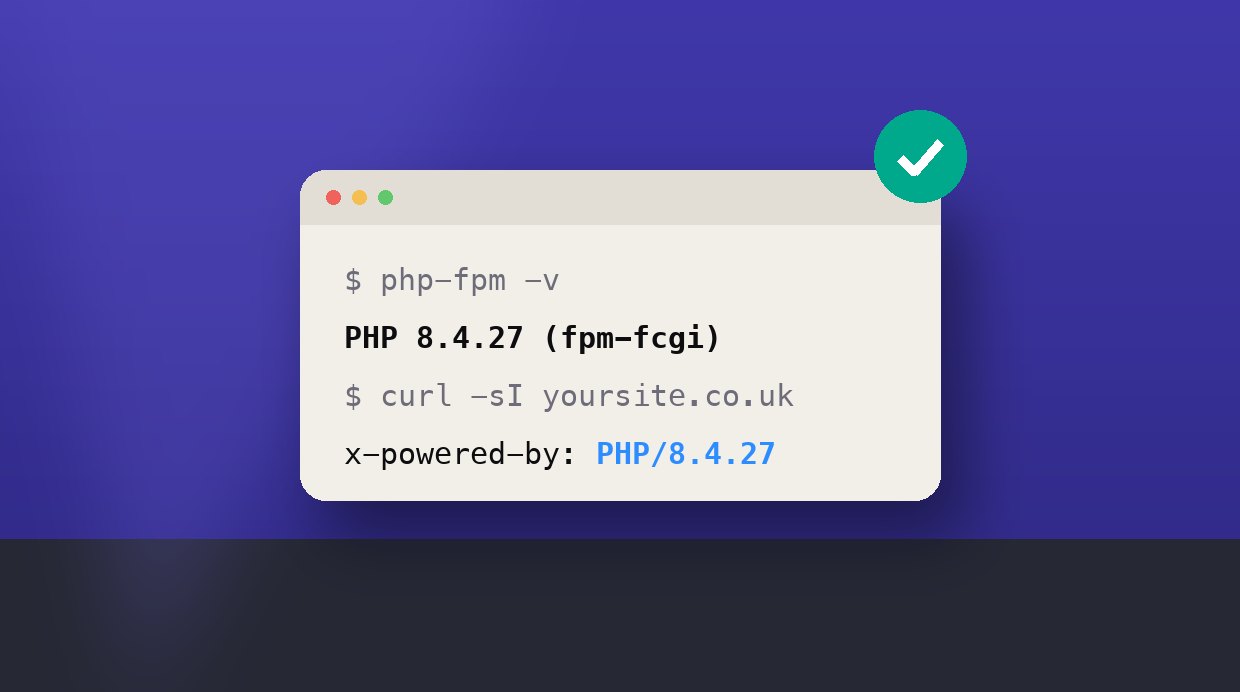
- PHP 8.4: fixed in 8.4.27
- PHP 8.3: fixed in 8.3.36
- PHP 8.2: fixed in 8.2.35. This branch stops getting security fixes on 31 December 2026, so plan a move to 8.4 or 8.5.
- PHP 8.1 and older: no longer supported. The PHP security team has published minimal source patches for 7.4, 8.0 and 8.1, and some Linux distributions ship patched builds, but the safe answer is to move to 8.4 or 8.5.
One catch: Linux distributions often fix PHP without changing its version number. A server on Ubuntu or Debian may report an older version and still be patched. If your host uses distribution packages, their security notice is the only reliable answer.
How to check your website
1. Run a check from the outside
Our PHP2Shell checker makes one ordinary request to your site, the same one a browser makes, and reads what your server says about itself. It never sends attack code. Many servers announce their PHP version in a response header such as X-Powered-By, and if yours does, the checker compares it with the fixed releases.
Plenty of servers hide their version, and that's good practice. If the checker can see that your site uses PHP but not which version, that isn't a clean bill of health. It just means you need to check from the inside, which takes a few minutes.
2. Check the version your site actually runs
- WordPress: go to Tools, then Site Health, then the Info tab, and open Server. It shows the PHP version your site is using right now.
- Hosting control panel: cPanel shows it under Select PHP Version or MultiPHP Manager, and Plesk under PHP Settings for each domain.
- On the server:
php -vshows the command-line PHP, which may be a different installation from the one serving your website. Check the web side withphp-fpm -v(or the versioned name, such asphp-fpm8.3 -v) or your Apache configuration.
If your server runs more than one PHP version, which is common on shared hosting and in Docker setups, check every one that serves a website.
3. Ask your host to confirm in writing
If you're on managed hosting, your host is probably patching already, and several hosts moved before the public release. Ask them two things: which PHP build your site runs on, and whether its PHP workers have been restarted since the update. A fix that's installed but not yet running doesn't protect you.
4. If your site is on Shopify, Wix or Squarespace
Hosted platforms run and patch their own servers. There's nothing for you to update, and our checker will tell you if it recognises the platform.
What to do if you're vulnerable
- Update PHP to a fixed release, or install your distribution's patched package.
- Restart PHP-FPM, or Apache if you use mod_php, so every worker runs the new build.
- Check the version again from the inside, and run the PHP2Shell checker again from the outside.
- If you're on PHP 8.1 or older, test your site on 8.4 or 8.5 and move it across. Older plugins and themes are the usual blocker, so start with a copy of the site.
If you can't update today, Cloudflare has added firewall rules for the known attacks, and they're available on every plan, including the free one. That buys time. It doesn't fix the flaw, so treat it as a stopgap for a day or two, not a solution. The UK's National Cyber Security Centre advises taking a system offline if it can't be fixed promptly.
After you've patched
Because the flaws were being probed before they were announced, it's worth checking that nothing happened in the meantime, especially on a site that was slow to update.
- Look for administrator accounts you don't recognise in WordPress or your shop's admin.
- Check for unexpected files, particularly PHP files in upload folders, where none should be.
- Look for scheduled tasks or cron jobs nobody set up.
- Change the passwords and keys your site uses: the database password, payment and API keys, and admin passwords. The memory leak means these could have been exposed even without a break-in.
If you find anything you don't recognise, don't just delete it. Take a backup of the site as it is, then get help, so the way in can be found and closed.
The short version
Run the PHP2Shell checker, confirm your PHP version from the inside, update to 8.5.12, 8.4.27, 8.3.36 or 8.2.35, restart PHP, and change your secrets. If you'd rather someone did it for you, or you're not sure what you're looking at, get in touch and we'll check it for you.